|
|


|
Ultra Core Protector - is the client-server anti-cheat freeware, for server protection from unscrupulous players.
|
|
 Semi-automatic installation of anti-cheat’s client part Semi-automatic installation of anti-cheat’s client part
The anti-cheat’s client part is installed semi-automatically through the game. Players don’t have to download and install the anti-cheat’s client part separately. To make this system work, the server administrator has to add ucp.cmd link into motd.txt file. Do not forget to specify the MOD’s name in the link, such as the reference for counter-strike MOD would look like this:
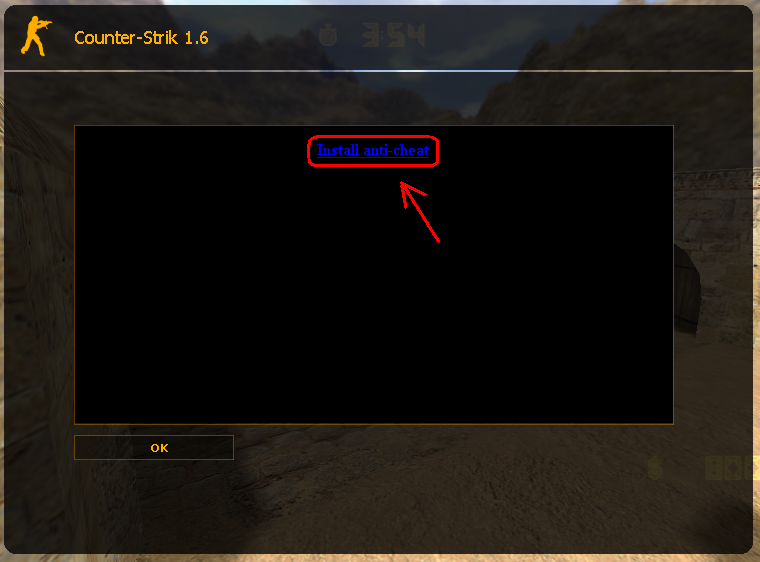
When player connects, he’ll se the motd window with a link inside it:
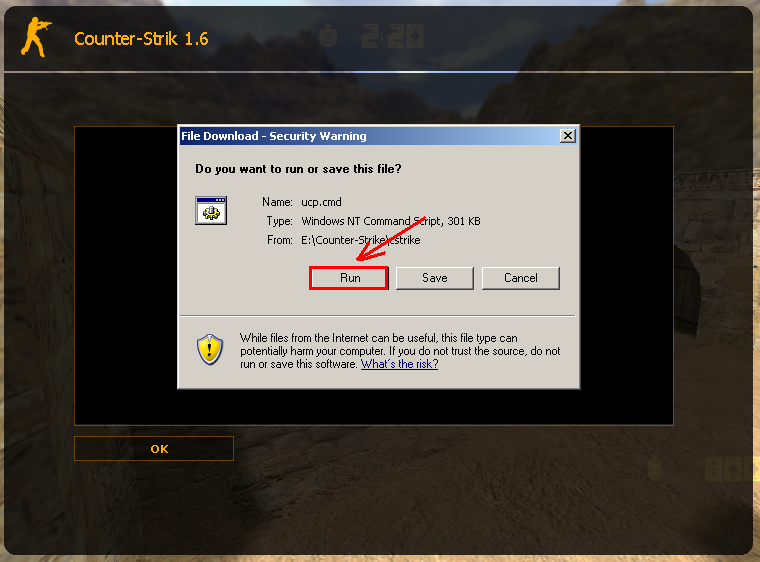
If you click the link, an Internet Explorer window will appear where you can choose “Run” or “Save”. Choose “Run“.
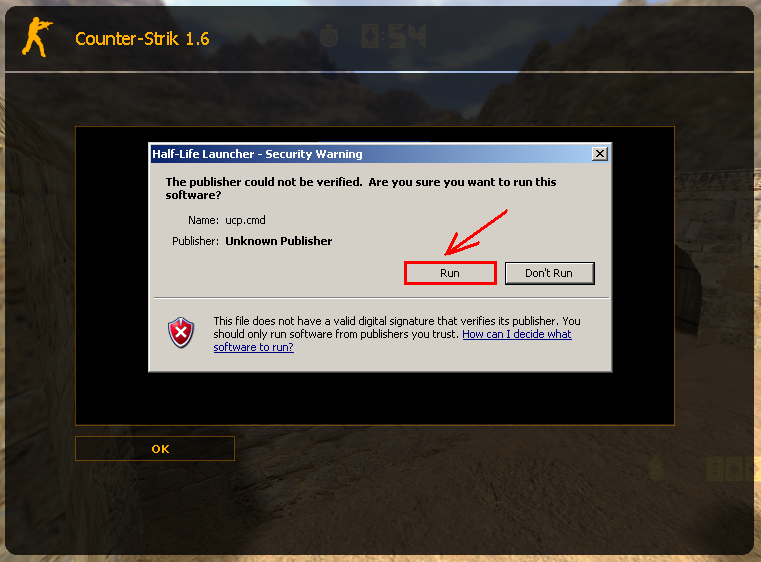
Then another window will appear, choose “Run” again. After that the game will restart with launched anti-cheat.
In fact, the player has to make just 3 clicks to play on the server with the anti-cheat. This method has its own peculiarities. For example, if a player has Russian version of the game, then ucp.cmd file is downloaded into folder, named cstrike_russian. Respectively, when he will click the link the anti-cheat won’t run. Considering this feature, you must set a MOTD additional links with the appropriate mark, such |
|